To change the name servers of a domain name, you need to access the registrar where the domain is currently registered.
If your domain name is registered with SharkASP, you can easily update its name servers through the Domain Manager in your SharkASP Control Panel (My Domains > Registered Domains). There are three different ways to do this:
Option 1: Change Name Servers in Bulk
Each domain name in the list has a checkbox next to it. Select one or more domains by ticking the checkboxes, then click the Change DNS button.
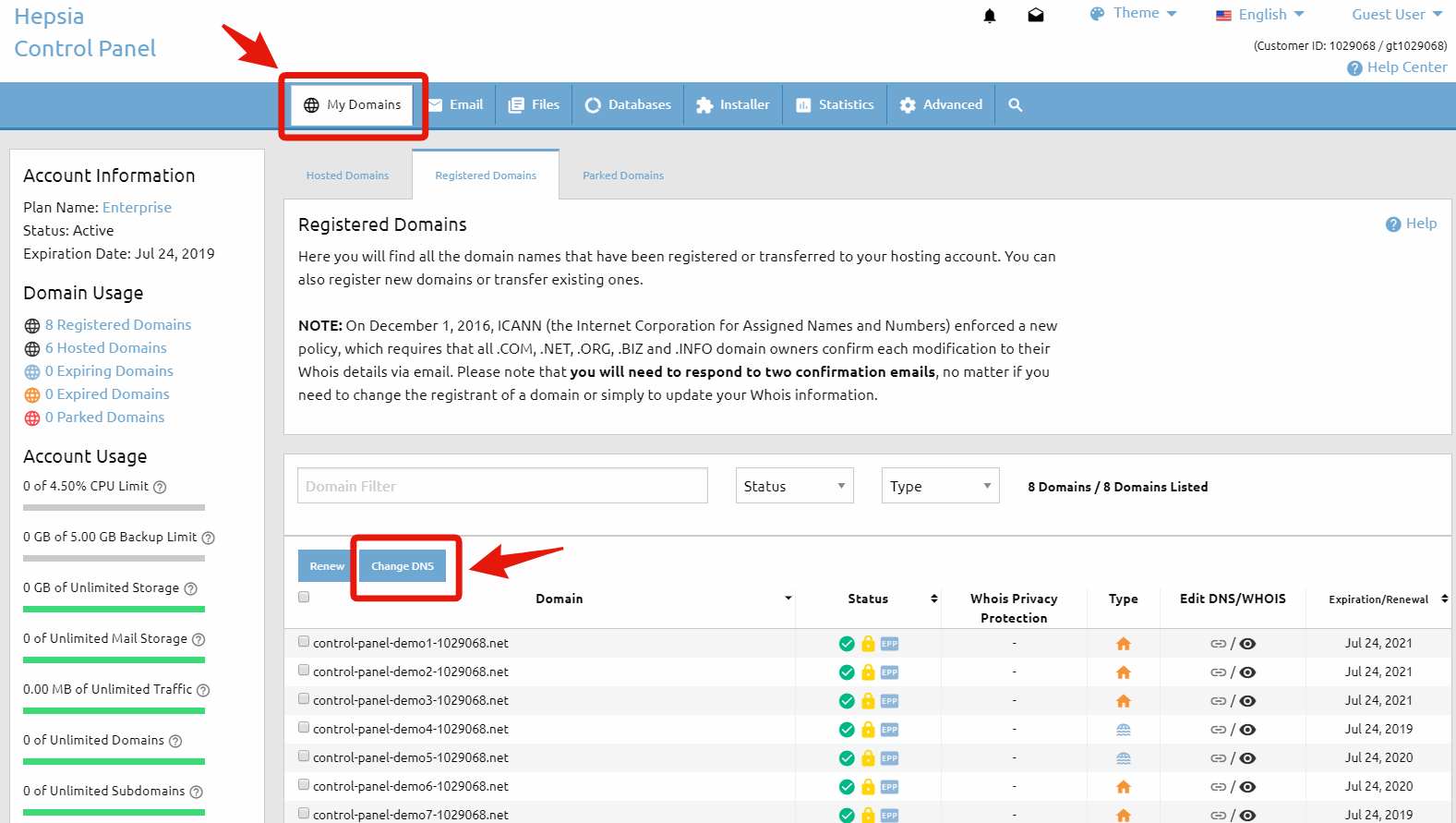
You will be redirected to a page where you can enter the new name server values. Once you’ve entered the details, click the Change NSes button to save your changes.
Important: This option allows you to update name servers for multiple domain names at the same time.
Option 2: Edit via the DNS/WHOIS Column
Next to each domain name, you’ll see several icons grouped into different columns. Locate the Edit DNS/WHOIS column and click the NS Status icon (the icon indicated by the arrow in the reference image).
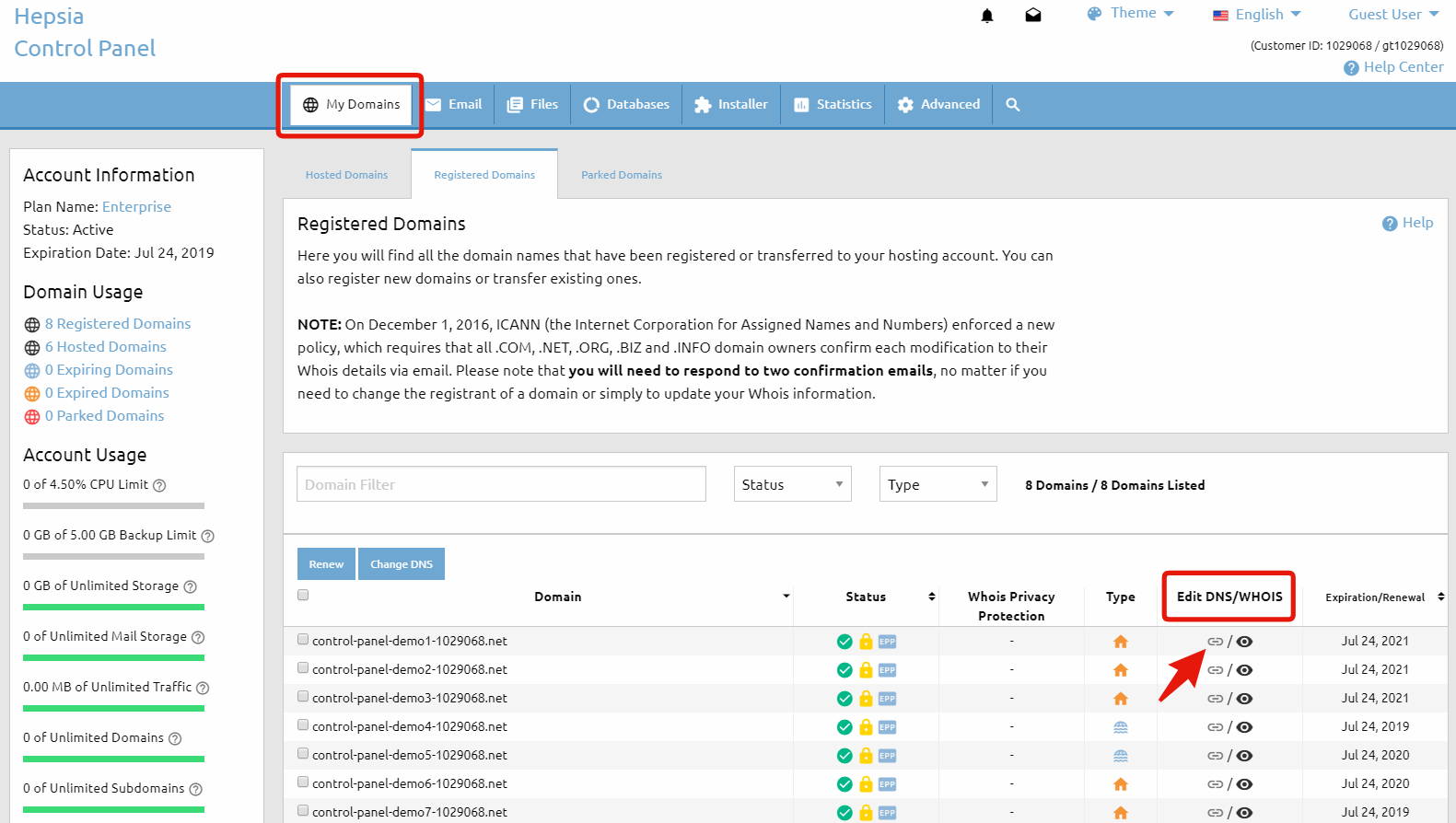
A small pop-up window will appear with two options:
- Edit the name server settings
- Register your own private name servers
If you select Edit the name server settings, you’ll be redirected to the same page used in Option 1, where you can enter the new name servers.
After entering the new values, click Change NSes to apply the changes.
To learn more about the second option, please refer to the article: How to Register Custom Name Servers for a Domain Name.
Option 3: Edit from the Domain Information Window
In the Domain column, click the domain name you want to modify.
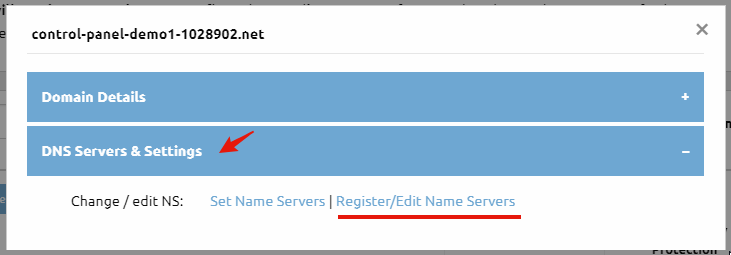
This will open the Domain Information pop-up window showing details for the selected domain. Navigate to the DNS Servers & Settings tab and click the Register/Edit Name Servers link.
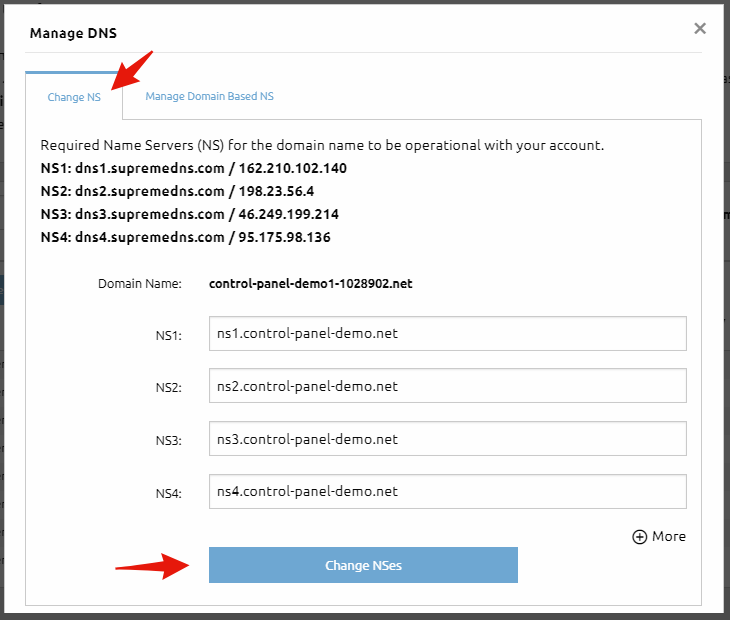
In the Change NS tab of the Manage DNS window, enter your new name server information and click Change NSes to save the changes.
Important Note: Name server updates may take up to 24 hours to fully propagate across the internet.
Why Choose SharkASP for Domains and Hosting?
With SharkASP, you get more than just a domain name—you get a powerful, reliable hosting platform designed for ease of use and performance. With SharkASP, you can:
- Register and manage all your domains from one control panel
- Update DNS settings and name servers quickly and easily
- Host your websites on secure, high-performance servers
- Access 24/7 support from experienced hosting professionals
Whether you’re launching your first website or managing multiple domains, SharkASP provides the tools, flexibility, and support you need to manage your domains with confidence.